Single-Site vs. Multi-Site Security: What Changes When You Need Centralized Visibility?
Share this article:
30 sec. overview
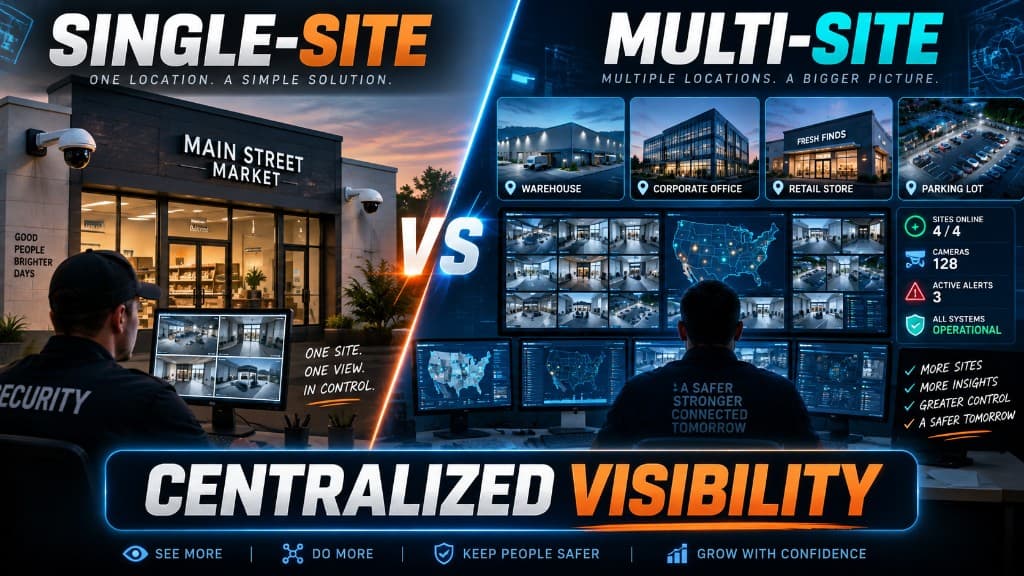
A single site can run with local admins, one network closet, and footage that lives where it was recorded. The moment you need centralized visibility across warehouses, plants, or offices—one place to search video, revoke badges, check health, and prove who did what—your commercial security systems stop being a building project and become an architecture problem: networks, VLANs, remote admin, retention, and identity must work the same way at every address.
If you are in Security, Operations, or IT across Southern California—Inland Empire docks, OC campuses, LA offices, or San Diego County plants—this guide is the multi-site visibility playbook. It is not a cloud-vs-on-prem access bake-off (see cloud vs on-prem access control for multi-site businesses for that) and not a "share cameras/access/alarms on one stack" install article. It is what changes when leadership asks: Can we see and control all sites from one pane of glass?
Ready to map gaps in cross-site search, revoke, and retention? Request a Facility Security Modernization Review via contact or call 1-800-276-0415.
Single-Site Security Works Until Visibility Becomes Cross-Site
On one building, "good enough" often means:
- A local NVR or recorder in the MDF
- Door controllers managed by whoever has the thick client and the VPN profile
- Alarm monitoring that pages a site lead
- IT treating cameras and readers as another PoE load on the office VLAN
That model can be solid. Investigations stay local. Badge changes are rare. The facilities lead knows which closet holds which switch.
Centralized visibility breaks that model when you add a second (then fifth) site. Suddenly Security wants one search across all docks. Ops wants one health dashboard before first shift. IT wants one identity source so a terminated contractor cannot badge into Building B after they lost Building A access. Retention rules must match company policy—not whatever disk was left in each closet.
The shift is not "buy more cameras." It is design for cross-site truth: same people directory, same network policy pattern, same retention rules, same remote admin paths. If you are still deciding repair vs replace vs modernize per building, pair this with the commercial security system upgrade checklist.
What "Centralized Visibility" Actually Means for Commercial Security Systems
Centralized visibility is the ability for authorized Security / Ops / IT roles to:
- See live and recorded video across sites without hopping VPNs and software per building
- Search events (door grants/denials, alarm zones, camera motion) with consistent timestamps and user identity
- Administer credentials, roles, and schedules from a controlled remote path—not tribal knowledge on one laptop
- Prove retention and audit trails when insurance, legal, or corporate security asks
- Know which sites are offline, degraded, or out of disk before Monday morning tickets pile up
It does not require every device to be the same brand on day one. It does require a deliberate architecture so each site feeds a common operating picture.
When you scope a security system installation for multi-site, treat visibility as a requirement—alongside coverage maps and door schedules—not a "phase two dashboard" promise. For in-building correlation of cameras, access, and alarms, see also smart security integration—a related but different design problem.
Architecture Differences: Single Site vs Multi-Site
Single-Site Architecture (Typical)
- One MER/MDF; maybe one IDF
- Local recording and local door database
- Admin lives on-site or on a simple remote desktop
- Retention = whatever the recorder holds
- Identity = spreadsheet + badge printer, or a single AD OU for that building
Multi-Site Architecture (Visibility-Ready)
- Repeating site patterns — same VLAN scheme, naming, and closet standards so Site N looks like Site 1
- Central or federated management — one admin plane for people, roles, and health
- WAN-aware design — controllers and edge devices that keep working if the circuit blips, while management and search stay central
- Retention policy as code — days of video and event log retention defined by company policy, then sized per site type
- Identity as the spine — HR/IdP → security roles → doors and app access, not per-site badge islands
Southern California operators feel this fast: a logistics node near Ontario, a light manufacturing line in the IE, and an office in OC can share one corporate security program—or three incompatible islands that only look unified on a slide.
Networks and VLANs: The Invisible Half of Multi-Site Visibility
Centralized visibility fails quietly when every site dumps cameras, readers, and office PCs onto one flat LAN. Cross-site search and remote admin then inherit broadcast noise, unclear firewall paths, and "who opened that port?" risk.
Design a Repeatable Security Network Pattern
Work with IT so each site follows the same skeleton:
- Dedicated or clearly segmented VLANs for video, access control, and intrusion (or a documented consolidated security VLAN with strict ACLs)
- Uplink and PoE budgets sized for docks and yards—not only offices
- Firewall rules that allow management and event/video retrieval for authorized roles without exposing the whole LAN
- DNS/DHCP naming Facilities and Security can read (SITE-CAM-DOCK-03, not a random MAC)
- Out-of-band or failover path for critical management when the primary circuit fails
A clean structured cabling plant—labeled drops to IDFs, tested links, spare capacity—makes that VLAN plan enforceable. Mystery cables and daisy-chained cameras turn multi-site visibility into a scavenger hunt. Align switch and path work with network setup and configuration so security traffic stays predictable.
What Changes vs Single Site
| Concern | Single site | Multi-site + visibility |
|---|---|---|
| VLAN design | Can be informal | Must be templated across sites |
| Remote admin | Optional | Required and audited |
| Bandwidth | Local LAN | WAN planning for live view, health, and retrieval spikes |
| Change control | Local IT | Corporate security + IT jointly own paths |
Do not treat WAN as an afterthought. Live multi-site viewing and large forensic pulls compete with business traffic; design QoS and retrieval windows with Ops, not only Security. Edge-vs-central recording choices also show up in cloud cameras vs traditional DVR/NVR.
Remote Admin: Who Can Change What, From Where
Centralized visibility without remote admin discipline creates a worse problem: everyone with a login can change anything everywhere.
Role Model That Scales
Define roles before the second site goes live:
- Site operator — view live/recorded for their site; limited door unlock for approved workflows
- Regional security — cross-site search and investigation; no global credential delete without dual control if policy requires it
- Identity / HR-linked admin — create and revoke people; cannot invent camera layouts
- IT platform admin — network, certificates, appliance health; not day-to-day badge scheduling
- Break-glass — documented emergency path with logging and post-event review
Remote Path Requirements
Whether management is browser-based, VPN + appliance, or a mix:
- MFA for all admin roles
- Session logging and preferential alerts on mass credential changes
- Site-scoped permissions so a warehouse supervisor cannot reconfigure an OC office
- Documented offboarding that removes security admin rights the same day as corporate SSO
For doors specifically, plan access control installation so controllers cache policy offline while identity and admin still live in the central model. Visibility means seeing grants and denials across sites—not locking people out when a circuit drops. Avoid the process failures covered in common access control mistakes.
Retention: One Policy, Many Sites
Single-site retention is often "until the drive fills." Multi-site retention is a policy:
- How many days of video for docks vs offices vs production?
- How long must access and alarm event logs stay searchable?
- Who may export, and how are exports logged?
- What happens when a site runs low on storage—alert Ops, throttle noncritical cameras, or expand capacity?
Make Retention Visible
Centralized visibility includes knowing retention health:
- Per-site days-of-footage remaining
- Failed disk / recorder / cloud-storage alerts
- Consistent clock sync (NTP) so cross-site timelines line up in investigations
Logistics and manufacturing footprints especially feel retention gaps: an incident at a dock on Thursday and a related badge event at another building on Tuesday only help if both systems still hold the data and share identity keys. Industry context for those environments is outlined on Endpoint Wireless's logistics and manufacturing pages—use them as buyer framing, not as a substitute for your retention policy.
Practical rule: write retention by site type (yard/dock, plant floor, office, cash/high-value), then apply the same type rules at every address. Do not invent a new "whatever fit the quote" number per building.
Identity: The Glue Between Sites
Without shared identity, multi-site security is a collection of local cardholder databases that drift the first time someone transfers, contractors, or seasonal labor.
What Security / Ops / IT Should Align On
- Source of truth — HRIS / IdP / directory as the parent; security systems as consumers
- Credential lifecycle — hire, transfer, leave, contractor end date
- Role templates — Dock Supervisor, Plant Maintenance, Regional LP—mapped once, reused
- Visitor and vendor paths — time-bound credentials that expire without a ticket backlog
- Audit — who held access to which site on a given date, exportable for review
Identity is also how centralized visibility becomes trustworthy: a video clip plus a door event only tell a story if the person ID is the same string in both systems.
Single-site teams can limp on a badge spreadsheet. Multi-site teams cannot—especially when managers travel the 10/60/91 corridors and expect a badge to work the afternoon HR finishes onboarding. Mobile and hybrid credentials often fit that model—see mobile credentials.
Decision Framework: When Multi-Site Visibility Is Non-Negotiable
You need a visibility-ready architecture when two or more of these are true:
- Security or LP investigates across buildings in the same week
- Ops wants one morning health check before open
- Contractors and temps move between sites
- Corporate policy dictates retention and audit formats
- IT will not support per-site snowflake VPNs and thick clients forever
- Leadership asks for one report: incidents, door exceptions, offline devices
You can stay single-site-simple when:
- One building, stable headcount, local security ownership
- No corporate cross-site investigation requirement
- IT and Facilities accept local admin forever
Most growing SoCal portfolios hit the first list faster than the second.
Implementation Sequence That Avoids "Dashboard Theater"
- Inventory sites — cameras, doors, alarms, closets, circuits, current admin tools
- Lock policy — retention days by site type; identity source; role matrix
- Standardize network pattern — VLANs, naming, firewall paths, cabling readiness
- Pick management plane — that supports your identity and remote admin model (without forcing a brand war in this article)
- Pilot one pair of sites — prove cross-site search, revoke, and health before a 10-site rollout
- Document runbooks — who watches health, who closes tickets, who owns break-glass
- Expand by template — each new lease inherits the pattern, not a custom science project
Visibility is a program. The dashboard is only useful if the sites underneath share identity, network policy, and retention rules. For cloud security cameras, management planes often accelerate that program—but only if identity and network patterns are already decided.
FAQs
Do we need the same camera and door brands at every site for centralized visibility?
Not always on day one. You need a management and identity strategy that can present a unified operating picture—or a deliberate migration path. Brand uniformity helps; shared identity, clocks, retention, and admin roles matter more than matching plastic.
Can we keep local recording and still have multi-site visibility?
Yes. Many designs keep edge recording for resilience while centralizing search, health, and admin. Confirm bandwidth, retrieval workflows, and how long local stores hold data under your retention policy.
What is the biggest IT blocker on multi-site security projects?
Unclear network and identity ownership: who owns VLANs, certificates, MFA for security apps, and directory sync. Solve that in a joint Security–IT design review before hardware lands.
How do VLANs help Security and Ops day to day?
They keep security traffic predictable, make firewall rules explainable, and reduce the chance that a guest Wi-Fi or printer storm takes down cameras and doors. Ops feels it as fewer mystery outages; Security feels it as cleaner investigations.
What retention should multi-site commercial sites use?
There is no universal day count. Set retention by risk and policy (docks vs offices vs production), apply it consistently across like sites, and monitor storage health so policy does not silently fail when a drive fills.
Who should own remote admin rights?
Split by role: HR/IT for identity joiners/leavers, Security for investigation and site policy, site Ops for limited unlocks. Avoid a single shared password that unlocks every building.
How does this differ from "integrating cameras, access, and alarms"?
Shared device stacks improve correlation inside a site. This article is about across sites: one visibility and admin model when you operate many addresses. You can pursue both—but they are different design problems.
When should we call for a Facility Security Modernization Review?
When you already have (or are about to lease) multiple sites and cannot answer: Who can see all sites, revoke everywhere, and prove retention—today? That gap is the review trigger.
Next Step: Facility Security Modernization Review
If your Security, Ops, and IT leaders need centralized visibility across Southern California sites—without turning every building into a one-off science project—End-Point Wireless can help you map networks, VLANs, remote admin, retention, and identity into a multi-site pattern that operations can actually run.
Request a Facility Security Modernization Review or call 1-800-276-0415. Start on our contact page with your site list, current admin tools, retention expectations, and who owns identity today. More guidance lives on the Endpoint Wireless blog.
Need one pane of glass across sites?
Ask about a Facility Security Modernization Review, or get a quote for commercial security system installation across Southern California