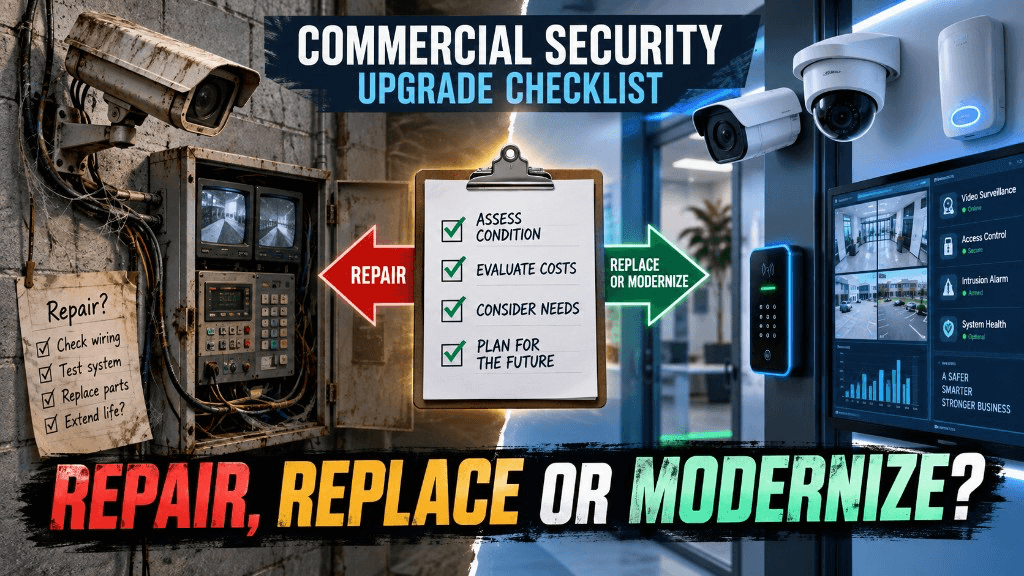
Commercial Security System Upgrade Checklist: When to Repair, Replace or Modernize
Share this article:
30 sec. overview
Most aging commercial security systems do not need a full rip-and-replace on day one. Score hardware health, pathway readiness, operational risk, and multi-site manageability—then choose repair, replace, or modernize (or mix all three in phases) for cameras, access control, and cabling across warehouses, plants, schools, and multi-site SoCal portfolios.
Facilities, Security/LP, and IT teams can usually choose among three paths—repair, replace, or modernize—before they spend capital. This checklist is for warehouse, logistics, manufacturing, school, and multi-site operators across Southern California (Inland Empire, LA, OC, and beyond) who need a clear decision framework—not a shared-pathway design deep dive.
Use it to prioritize which cameras, doors, panels, and network drops stay, which get swapped, and which become part of a phased modernization. Pair it with a proper security system installation plan once you know which path each subsystem should take. If systems must share conduit and closets from day one, also read the shared pathways design guide.
Ready for a site-level triage? Request a Facility Security Modernization Review via our contact page or call 1-800-276-0415.
Answer First: Repair vs Replace vs Modernize
Use this rule of thumb before you open a bid package:
| Path | Choose when… | Typical scope |
|---|---|---|
| Repair | The platform is still supported, coverage is mostly right, and failures are isolated (one camera, one reader, one power supply) | Parts, re-aim, firmware, battery, cable fix, training refresh |
| Replace | Devices or panels are EOL, image/credential quality fails investigations, or spares and support are gone | Like-for-like or next-gen devices on the same doors/views; keep workable pathway where possible |
| Modernize | You need cloud/multi-site management, analytics, SSO/RBAC, camera–door event linking, or a cabling/PoE foundation that can scale | Phased redesign: selective new cameras/ACS, VLAN/PoE hygiene, admin model, retention policy |
Repair keeps you operational. Replace removes known failure points. Modernize changes how Security, LP, and IT operate the system day to day. Mixing all three in one phased plan is normal—and often smarter than a single weekend cutover. For seasonal upkeep while you decide, see EPW's security system maintenance checklist.
Who Owns the Decision (and What Each Group Must Bring)
Upgrade projects stall when Facilities buys cameras, IT discovers the VLAN later, and LP learns the retention policy after an incident. Align owners before the first truck roll.
Facilities / Operations
- Building plans, roof/yard access, lift windows, and after-hours rules
- Door and camera inventories (even if imperfect)
- Known pain: blind docks, broken locks, NVR crashes, false alarms
Security / Loss Prevention
- Investigation failures (faces, plates, aisle events you cannot prove)
- High-loss zones: docks, cages, tool cribs, parking, student/visitor entries
- Alert fatigue vs "we never get useful alerts"
IT / Network
- Switch PoE budget, VLAN strategy, firewall rules, SSO readiness
- Who administers users today (and who should)
- Whether evidence export and remote access meet policy
Write a one-page RACI. Hand it to your integrator at kickoff so labor windows and network assumptions are not negotiated on a ladder. Before you approve a camera quote, confirm the survey artifacts in what a site survey should put on a commercial camera quote.
The Upgrade Triage Checklist (Walk the Site With This)
Score each subsystem—video, access control, alarms/monitoring, and cabling—using the same four questions.
1. Is the Platform Still Supportable?
Ask:
- Are cameras, NVR/VMS, controllers, and readers still sold and firmware-supported?
- Can you buy spare readers, power supplies, and hard drives without gray-market scavenger hunts?
- Do admins still know how to export clips and pull door histories without a tribal knowledge sticky note?
If no on two or more: lean replace or modernize, not endless repair.
2. Does Evidence Quality Match the Job?
For video, test real investigation needs—not brochure megapixels:
- Can you identify a person at the employee entrance?
- Can you read a plate at the gate or yard lane you care about?
- Are dock doors and high-bay aisles usable at night, or washed out / noisy?
For access control:
- Are audit logs complete and searchable across sites?
- Can you revoke a contractor in minutes—or only after a rekey truck?
Failures here usually mean replace optics/readers first; full modernize if you also lack remote management. Yard and lot plate reads often need dedicated LPR cameras rather than hoping a general dome will suffice.
3. Is the Pathway and Power Healthy Enough to Reuse?
Before you blame "bad cameras," check:
- PoE budget and cable category/length limits
- Labeling, patch panels, and whether security shares a congested office VLAN
- UPS coverage on NVRs/controllers vs unprotected midspans
Clean, labeled pathway often justifies repair/replace on devices while you plan a later cabling refresh. Collapsed, unlabeled, oversubscribed runs push you toward structured cabling as part of modernize—alongside network setup and configuration so security traffic stays predictable.
4. Can One Team Manage This Across Sites?
Multi-site SoCal portfolios (Ontario DC + Fontana plant + OC school sites, for example) break when each building has its own NVR password and badge database.
Modernize when you need:
- One admin model (RBAC / SSO where appropriate)
- Consistent retention and clip-sharing rules
- Door events tied to video without swivel-chair hunting
That is a platform and process change—not a single broken dome. For the access architecture question specifically, see cloud vs on-prem access control for multi-site businesses.
Subsystem Playbooks: What to Do With Video, Doors, and Wire
Commercial Video (Cameras + Recording)
Repair when:
- One or a few cameras failed, aims drifted, or IR/WDR settings are wrong
- Storage is healthy and the VMS/NVR is still supportable
- Coverage map is mostly correct; you need maintenance, not redesign
Replace when:
- Image quality fails investigations at critical views (entry, dock, cage, lot)
- Recorders are unreliable, disks are unsupported, or remote access is brittle
- You can keep mounts/pathway and swap to current IP cameras on a phased schedule
Modernize when:
- You want cloud or hybrid management, person/vehicle analytics, and multi-site health in one place
- Retention, user roles, and clip sharing must match IT/Security policy
- You are redesigning coverage for new risk (yard expansion, e-comm volume, campus layout)
For design-and-install depth on cameras, see EPW's security system installation overview and cloud security cameras. Before you buy more units, confirm coverage with how many security cameras your business actually needs. If you are comparing management models, cloud cameras vs traditional DVR/NVR clarifies what changes—and what stays in the field.
Access Control (Doors, Gates, Credentials)
Repair when:
- A reader, strike, REX, or power supply failed in isolation
- Controllers and credential databases are still supported
- Schedules and free egress still meet how the building is used
Replace when:
- Panels or readers are EOL; keys and orphaned cards are the real "system"
- You cannot produce clean audits for LP, HR, or school leadership
- Hardware on specific doors is worn out but the door schedule is still right
Modernize when:
- You need mobile/hybrid credentials, time-bound contractors, and multi-building dashboards
- Camera and door events should live in one investigation workflow
- Schools or multi-tenant sites need lockdown/schedule discipline without constant rekeying
Door-level planning belongs with a proper access control installation survey—life safety and egress come before brand preferences. Use the door-by-door access control checklist so phased swaps do not freeze operations, and avoid the process failures covered in common access control mistakes. Yard and perimeter doors may also need vehicle gate access in the same modernization conversation.
Structured Cabling and Network for Security
Security upgrades fail when cameras and readers inherit office Wi-Fi leftovers.
- Repair / light refresh when: a few drops failed certification or a closet needs cleanup.
- Replace drops when: Cat5e runs are maxed, PoE++ devices are planned, or outdoor/yard links are unstable.
- Modernize when: you need a security VLAN, documented as-builts, fiber between buildings, and headroom for more doors and cameras without another emergency rewire.
Pathway work is boring until it saves the project. Budget it explicitly in any modernization phase—and watch for the structured cabling mistakes and camera quote red flags that turn free PoE assumptions into change orders. Between buildings, fiber optic cabling often belongs in the modernize column.
Industry Cues: Warehouse, Manufacturing, Schools, Multi-Site
Warehouses and Logistics
Prioritize docks, yard lanes, employee entrances, and high-value cages. Repair is fine for isolated camera failures; modernize when LP cannot investigate shrink across shifts or sites. Align coverage and access schedules with receiving windows so cutovers do not stop freight—see EPW's logistics industry page for warehouse-oriented scope themes, plus warehouse security cameras in the Inland Empire.
Manufacturing
Tool cribs, shipping offices, outdoor yards, and after-hours perimeter usually drive risk. Vibration, dust, and high bays punish weak mounts and wrong lenses—replace those views even if the rest of the plant can wait. Multi-building campuses often need backbone and management modernization more than "more cameras everywhere." EPW's manufacturing page outlines typical industrial constraints.
Schools and Campuses
Start with main entries, admin suites, and after-hours building envelopes. Repair keeps classrooms open; modernization is about schedules, visitor workflows, and who can lock down—not about installing novelty hardware overnight. Coordinate AHJ, IT, and Facilities before any fail-secure changes. See EPW's education / campus security guidance for school-oriented priorities.
Multi-Site SoCal Portfolios
Standardize first: naming, retention, admin roles, and which doors/views are "gold standard." Then phase site-by-site. An Ontario HQ standard that rolls to Riverside and Rancho Cucamonga beats five unique NVR islands. For what changes when you need one pane of glass, see single-site vs multi-site security—the same integration mindset behind smart security integration.
How to Phase Capital Without Freezing Operations
A practical SoCal sequence many Facilities/IT teams use:
- Stabilize — repair unsafe failures (egress, forced doors, dark critical views)
- Prove — replace or modernize one entrance + one high-risk zone; validate admin workflow
- Scale — roll the same standard to docks, yards, or additional buildings
- Harden pathway — cabling/PoE/VLAN work timed with other construction or shutdowns
- Retire legacy — decommission unsupported NVRs/panels only after the new path is trusted
Keep at least one working entry and one investigation path live at all times. Document temporary key or soft-mode procedures for doors in cutover. When you solicit bids, use how to compare low voltage contractor bids so pathway and lift assumptions are explicit.
Budget Signals (Without Fake ROI)
You do not need invented savings percentages to choose a path. Use honest cost drivers:
- Truck rolls and spare parts climbing on an unsupported platform → replace/modernize beats perpetual repair
- Investigation time (hours hunting clips across DVRs) → management/platform modernization
- Rekey and contractor chaos → access control modernization
- Change-order risk from unknown pathway → pay for a survey and as-builts early
Ask vendors for a repair / replace / modernize option set on the same site survey—not three unrelated quotes. For camera-specific must-haves on that proposal, see what a commercial camera quote should include.
Red Flags That Mean "Stop Repairing"
- Manufacturer or dealer will not support the panel/NVR
- No one on staff can export evidence under legal or HR pressure
- Multiple buildings cannot share users or reports
- PoE switches are maxed and every new camera needs a surprise midspan
- Life-safety behavior on doors is unknown or undocumented
Any two of these is enough to open a modernization conversation.
FAQ
How do I know if my commercial security systems need repair or full replacement?
Start with supportability and evidence quality. If the platform is still supported and most views/doors work, repair isolated failures. If firmware, spares, or investigation-quality video/credentials are gone, plan replace or modernize—not another year of patch parts.
Can we modernize cameras without replacing every door reader?
Yes. Many sites phase video first (or access first) while keeping workable legacy pieces temporarily. Just define the end-state admin model so you do not freeze a permanent hybrid mess.
What should Facilities ask IT before approving an upgrade?
PoE budget, VLAN/firewall plan, SSO or admin directory source, retention and export policy, and who owns after-hours unlocks. If IT is not at the survey, expect change orders.
How long does a phased warehouse or plant upgrade take?
It depends on camera/door count, lift access, and after-hours windows. Small offices can move in days; larger logistics and manufacturing sites often phase over weeks so receiving and production stay online. Ask for a milestone schedule, not a single "go-live Saturday."
Do schools need a different checklist than warehouses?
The triage questions are the same; the priorities differ. Schools weight visitor entry, schedules, and lockdown clarity. Warehouses weight docks, yards, and shrink investigations. Life safety and egress rules apply to both.
Should structured cabling be in the security budget?
If drops are unlabeled, oversubscribed, or failing length/PoE limits, yes—at least for the zones you are modernizing. Device-only swaps on bad pathway create repeat truck rolls.
What is a Facility Security Modernization Review?
A consultative site walk focused on repair vs replace vs modernize decisions across cameras, access, and pathway—so Facilities, Security/LP, and IT leave with a phased plan instead of a single undifferentiated bid.
Next Step for SoCal Facilities, Security, and IT Teams
If you manage a warehouse, logistics yard, manufacturing floor, school, or multi-site portfolio in Southern California, do not guess your way through EOL hardware. Walk the checklist, score each subsystem, and choose repair, replace, or modernize on purpose.
Request a Facility Security Modernization Review via contact or call 1-800-276-0415. End-Point Wireless (EPW) will help you prioritize what to fix now, what to swap next, and what to redesign so commercial security systems stay operable—and investigate-ready—across your sites. Related: security system installation · access control installation · structured cabling · what a commercial LV contractor handles.
Deciding repair, replace, or modernize?
Ask about a Facility Security Modernization Review, or get a quote for commercial security system installation across Southern California