Choosing a Commercial Intercom: Office, Warehouse, Apartment and Gate Entry Use Cases Compared
Share this article:
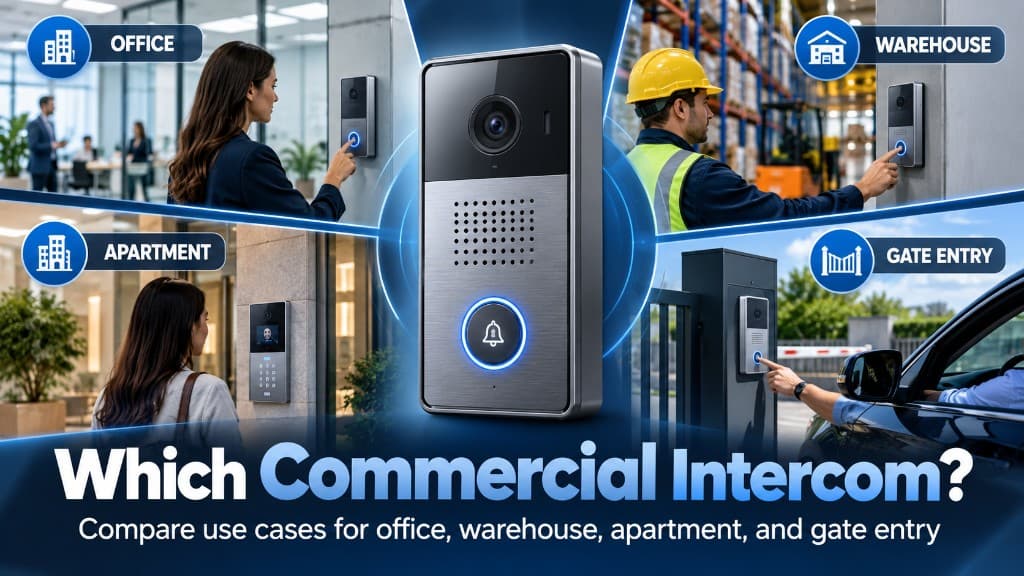
Most intercom projects go wrong for a simple reason: the buyer picks a device before defining the entry. An intercom that works perfectly at a staffed office lobby can be the wrong choice for a truck gate, and the right apartment entry panel can be overkill for a single warehouse side door.
30 sec. overview
- Choose a commercial intercom by matching it to the use case: who is arriving, who answers, what door or gate it controls, and what environment it lives in.
- Offices usually need a clean visitor experience tied to reception, with after-hours backup.
- Warehouses need rugged, driver-friendly stations that ring the right shipping contact.
- Apartment and multi-tenant buildings need an accurate resident directory and mobile answering.
- Gate entry needs vehicle-height placement, long cable or wireless runs, and weather-rated hardware.
- The device follows the use case, not the other way around.
This guide is for property managers, facility managers, and operations leaders planning commercial intercom installation across Southern California offices, industrial sites, multifamily properties, and gated facilities.
How to Choose a Commercial Intercom: Four Questions That Define Every Entry
Before comparing models, answer these for each entry point:
- Who arrives here? Employees, visitors, delivery drivers, tenants, guests, or vendors
- Who answers? A receptionist, a shipping clerk, a resident, a remote guard, or a group of phones
- What does it release? A storefront door, a mag-locked interior door, a pedestrian gate, or a vehicle gate operator
- Where does it live? Indoors, under a canopy, in full sun, or at a driveway exposed to weather and impact
Write the answers down per entry. Two buildings with the same number of doors can need very different systems once these answers are clear. The same discipline drives a good door-by-door access control plan.
Use Case 1: Office and Corporate Lobby Intercoms
Office entries are about first impressions and visitor control.
What usually matters
- A clean, professional panel at the main entrance
- Calls routed to reception during business hours and to a backup after hours
- Video so staff can see who is at the door before releasing it
- A clear record of who was let in and when, often paired with visitor management
Common pitfalls
- Routing every call to one desk phone with no backup when reception is out
- Installing an audio-only unit where staff need to verify visitors visually
- Forgetting secondary entrances, like a side door used for deliveries
Office intercoms often work best when tied to access control installation, so a release from the intercom is logged like any other door event.
Use Case 2: Warehouse, Distribution, and Industrial Site Intercoms
Warehouse entries are about getting the right person to the door quickly without opening the building to everyone.
What usually matters
- Rugged, weather-resistant stations at shipping offices, dock man-doors, and yard entrances
- Calls routed to shipping and receiving, not the front office
- Clear signage so drivers know which station to use
- Audio that works over truck engines, forklifts, and yard noise
Common pitfalls
- Placing the station where drivers cannot reach it without leaving the cab, or where they block traffic
- Ringing a phone that nobody hears on a busy dock floor
- Treating the driver entrance like a lobby when it needs speed and durability
Distribution and logistics sites across the Inland Empire often need intercoms at both the pedestrian shipping door and the truck gate. Operators of logistics and warehouse facilities should map the driver's path from the street to the dock before choosing locations. That same path is usually where camera blind spots at docks and yards show up too.
Use Case 3: Apartment and Multi-Tenant Building Intercoms
Multifamily and multi-tenant entries are about directory accuracy and resident convenience.
What usually matters
- A searchable directory that property staff can update quickly
- Calls routed to residents' or tenants' mobile phones rather than in-unit handsets
- Delivery and package access that does not mean handing out codes to everyone
- Management visibility into entry activity without micromanaging residents
Common pitfalls
- Directories that fall out of date as tenants move in and out
- Relying on landline-based systems that residents no longer have
- Sharing a single gate code that spreads well beyond the people who should have it, where mobile credentials give each resident their own revocable access
For multi-tenant commercial buildings and multifamily properties across LA and Orange County, the directory workflow is often more important than the panel hardware. Ask who will update it and how long a change takes. See how a cloud-managed apartment intercom system handles directories and mobile answering.
Use Case 4: Gate Entry Intercoms for Vehicles and Pedestrians
Gate entries are about placement, distance, and durability.
What usually matters
- Mounting height and pedestal position that a driver can reach from the window
- A second, lower station or pedestrian-height unit where needed
- Weather, sun, and impact resistance
- Reliable connectivity at the end of a long driveway or across a lot
- Integration with the gate operator and vehicle access system so a release actually opens the gate
Common pitfalls
- Mounting the station where drivers have to back up or open the door
- Underestimating the network path to the gate, which may need trenching, conduit, or wireless links
- Not planning for power at the pedestal
- Choosing hardware that fades or fails in direct sun
Gate projects frequently turn into infrastructure projects. Long runs to a pedestal may require structured cabling through new conduit, or a point-to-point wireless link where trenching is not practical. Coastal sites in San Diego and OC also add salt air to the durability checklist.
Commercial Intercom Use Cases Compared Side by Side
| Use case | Primary goal | Who answers | Key hardware needs | Biggest risk |
|---|---|---|---|---|
| Office lobby | Visitor experience and control | Reception, then backup | Video panel, clean design | No after-hours routing |
| Warehouse | Fast driver and vendor access | Shipping and receiving | Rugged, loud, weather-rated | Calls nobody hears |
| Apartment / multi-tenant | Resident and guest access | Residents and management | Directory, mobile answering | Out-of-date directory |
| Gate entry | Vehicle and pedestrian access | Guard, office, or residents | Pedestal, long-range connectivity | Bad placement and power |
Many properties have more than one use case. A distribution center might need a lobby panel for visitors, a rugged dock station for drivers, and a gate pedestal for trucks.
Features That Matter Across All Commercial Intercom Use Cases
Video, not just audio
Video lets the person answering verify who is there. For most commercial uses, a commercial video intercom is now the practical baseline. At docks and gates, nearby security cameras or LPR cameras add a wider view and a recorded event alongside the call.
Call routing with backup
Every station should have a primary answerer and a defined fallback. "Rings forever and nobody picks up" is one of the most common complaints.
Door and gate release that is logged
Releases should be tied to a specific door or gate and recorded. That helps during investigations and disputes, and it is far easier when every site reports into one platform, a key point in cloud vs. on-prem access control for multi-site businesses.
Durability rated for the location
Indoor, covered, and fully exposed locations each need different hardware ratings. Match the rating to the real environment.
Accessibility
Placement, button design, and audio or visual cues should support accessibility requirements for the entry. Confirm requirements with your design team for each location.
How to Plan Intercoms for a Multi-Use-Case Property
- List every entry and assign a use case to each.
- Define who answers each entry during and after business hours.
- Pick hardware by environment, not by brand preference alone.
- Confirm infrastructure: cable paths, power, network, and gate operator interfaces.
- Standardize where possible so staff use one app or one console across entries.
- Document directories and routing so changes do not depend on one person.
A clear entry-by-entry plan makes intercom bids easier to compare and prevents the most common surprises during installation. Intercoms usually share cable paths and network closets with cameras and door hardware, so plan them together, as covered in cameras, access, and alarms on shared pathways.
Questions to Ask Before You Sign an Intercom Proposal
Use these to compare bids on equal terms:
- Which use case is each station designed for, and why was that hardware chosen for that location?
- How are calls routed during business hours, after hours, and when the primary answerer does not pick up?
- What exactly does a release open, and how is it wired to the lock, strike, or gate operator?
- Who updates the directory, and how long does a change take to show up at the panel?
- What happens during a power or network outage at each entry?
- What infrastructure is included: cable, conduit, pedestal, power, and network ports?
- What is excluded, such as trenching, door hardware, or gate operator repairs?
If a proposal cannot answer these clearly, the gaps usually show up later as change orders or as entries that do not work the way staff expected. For more on spotting those gaps early, see how to compare low-voltage contractor bids.
Frequently Asked Questions
What is a commercial intercom?
A commercial intercom is an entry station at a door or gate that lets a visitor call a designated person or group, who can then see or hear them and remotely release the lock or gate. Modern systems add video, mobile answering, searchable directories, and logged releases tied to access control.
Can one intercom system handle office, warehouse, and gate entries?
Often, yes. Many platforms support different station types under one management system. The key is choosing the right hardware for each location while keeping routing and logs in one place.
Do apartment intercoms still need in-unit handsets?
Many newer systems route calls to residents' mobile phones instead. That reduces in-unit wiring and maintenance, but it requires a reliable app and an accurate directory.
What is the best intercom for a truck gate?
One mounted at driver-window height on a pedestal, rated for weather and impact, with reliable connectivity and a tested interface to the gate operator. A second pedestrian station is often useful.
How far can an intercom be from the building?
That depends on the cabling or wireless method. Long runs may need fiber, extended-reach solutions, or a point-to-point wireless link. Plan the path early in the design; the Cat6, Cat6A, or fiber decision guide explains where copper distance limits start to matter.
Should intercom releases be logged?
Yes. Logging releases by door and time helps with investigations, tenant disputes, and operational reviews.
Who should own the intercom directory?
Property management or facilities should own it, with a clear process for move-ins, move-outs, and vendor changes.
Next Step: Facility Security Modernization Review
If you are choosing intercoms for offices, warehouses, multifamily buildings, or gated sites, request a Facility Security Modernization Review. Call 1-800-276-0415 or contact End-Point Wireless to map each entry, match it to the right use case, and plan a commercial intercom system that fits how your Southern California property really works. More guidance lives on the End-Point Wireless blog.
Planning a commercial intercom project?
Get a quote for a commercial video intercom matched to every door and gate on your property