Migrating From Legacy Cameras to Verkada: A Practical Commercial Upgrade Plan
Share this article:
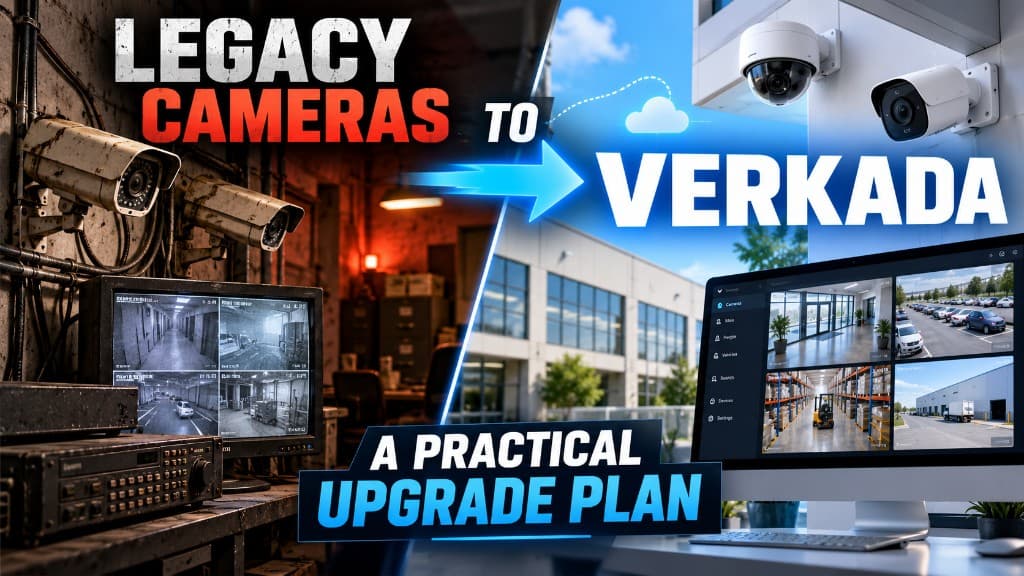
Legacy camera systems rarely fail all at once. They fail as a pile of small pains: DVR disks that fill early, VPN gymnastics for remote viewing, users who share one password, and cameras that still "work" but cannot support how your team investigates incidents today.
30 sec. overview
- A legacy-to-Verkada migration replaces DVR/NVR-based cameras with Verkada's cloud-managed platform in phases, so critical views stay recorded throughout the upgrade.
- Treat it as a phased commercial upgrade—network readiness, power/PoE, licensing, parallel cutover, retention decisions, and supervisor training—not a weekend rip-and-replace.
- Run new and legacy cameras side by side in each priority zone, then retire legacy devices only after a short soak period and sign-off.
- Decide retention, admin roles, and license ownership before mounts go up—not during your first incident on the new system.
- Modernize the zones that matter most first: dock thresholds, main entries, and high-value rooms.
This guide is for Facilities, IT, and Security buyers evaluating a Verkada installer partner for warehouses, offices, schools, and multi-site portfolios in Southern California. It is not a competitor teardown and not a claim that every legacy system must be replaced tomorrow.
When a Legacy-to-Verkada Migration Makes Sense
Commercial teams usually start the conversation when one or more of these are true:
- Remote viewing is unreliable or depends on brittle VPN habits
- User permissions and auditability are weak
- Retention and search take too long during real incidents
- Spare parts and NVR capacity are becoming the project
- Multi-site managers need one operational pattern
- The next TI or network refresh is a natural cutover window
If cameras still meet evidence needs and IT can support them safely, upgrading on a calendar alone is optional. If operations already work around the system weekly, a structured migration usually costs less than another year of workarounds. Still weighing the model itself? Compare cloud cameras vs. traditional DVR/NVR systems, or use the commercial security system upgrade checklist to decide whether to repair, replace, or modernize.
What "Practical" Means (And What It Does Not)
A practical upgrade plan:
- Keeps critical views live during cutover
- Documents which legacy cameras retire vs. stay temporarily
- Aligns licensing and retention before mounts go up
- Tests network and PoE before a full building swap
- Trains the people who actually pull footage
It does not mean:
- Promising zero downtime without a method
- Leaning on ROI figures or credentials a vendor cannot back up
- Bashing brand names instead of stating requirements
- Installing cloud cameras on a network that cannot support them
Requirements first, platform second. Verkada is a cloud-managed camera platform many commercial buyers evaluate for centralized administration and remote access. A good migration plan maps your requirements to a phased install—it does not recite marketing.
Phase 0: Requirements Before Anyone Orders Hardware
Lock these decisions in writing:
- Sites and buildings in scope for phase 1 vs. later
- Must-keep coverage during cutover (docks, entries, high-value rooms)
- Retention targets by zone type
- Who administers users (IT vs. Facilities vs. Security)
- Integration expectations with access control or alarms (if any)
- Aesthetic / landlord constraints for exterior mounts
- Success criteria — e.g., supervisors can find a clip in X minutes without VPN theater
If phase 0 is fuzzy, hardware arrives into argument. Southern California multi-site portfolios—Inland Empire logistics, Orange County campuses, Los Angeles medical or school sites, San Diego mixed facilities—often need a phase-1 building that proves the pattern before a fleet rollout.
Phase 1: Network and Power Readiness
Cloud-managed cameras still live on your LAN edge. Before cutover:
- Confirm switch PoE budget and port availability per IDF
- Validate VLAN / firewall rules with IT for camera traffic patterns (part of network setup and configuration)
- Check uplink capacity where many cameras share a closet
- Identify cable that can be reused vs. must be replaced
- Note outdoor runs, surge exposure, and mounting steel reality
Many migrations uncover that the camera problem was half a cabling and closet problem. Coordinate early with structured cabling standards so labels, patch fields, and pathways match how IT already operates. If runs need replacing, the Cat6, Cat6A, or fiber decision guide covers media choices.
"We have free ports" is not the same as "we have free watts." If Wi-Fi access points or other PoE loads share the same switches, do the math before cameras go up.
Phase 2: Design the Target Camera Map (Do Not Clone Blindly)
Legacy layouts encode old compromises. Use migration as a chance to fix known blind spots—without boiling the ocean. Our business security camera blind-spot audit is a useful input here.
For each zone, decide:
- Retire and replace in place
- Relocate for better evidence quality
- Add a view the legacy system never had
- Leave legacy live temporarily until phase 2 funding
Dock thresholds, main entries, and high-value rooms usually belong in phase 1. Nice-to-have overflow parking can wait. Pair the map with a simple evidence standard—identification vs. overview—so you do not buy the wrong lens for the right wall. For sizing by zone rather than SKU count, see how many security cameras your business actually needs.
Phase 3: Licensing, Retention, and Admin Model
Before install day, align:
- License terms and renewal ownership
- Retention duration by site policy and storage model
- Admin roles, SSO expectations if IT requires them, and offboarding process
- Who approves new viewer accounts
Retention is an operations decision. A 30-day default that cannot support your investigation pattern will recreate the old frustration inside a new platform. Document the choice; do not discover it during an incident. For budgeting hardware and license terms, see the Verkada cameras price guide for California businesses.
For buyers comparing cloud camera approaches, review how cloud security cameras fit multi-site administration—not only the mount locations.
Phase 4: Parallel Cutover Instead of Big-Bang Darkness
The safest commercial pattern is overlap:
- Install and validate new cameras in a priority zone
- Confirm live view, retention behavior, and user access
- Keep legacy recording for that zone until sign-off
- Decommission legacy devices only after a short soak period
- Move to the next zone or floor
Parallel cutover costs a bit more coordination and sometimes temporary dual mounting—but it protects docks and entries that cannot go dark. Big-bang swaps are for small sites with a true maintenance window and a tested rollback.
For multi-building campuses, cut over by building or by risk tier. Logistics yards near corridors such as Ontario often need dock and gate views first, office interiors second.
Phase 5: Labeling, As-Builts, and Closet Hygiene
Migration fails quietly when documentation fails:
- Camera names that match doors and docks humans recognize
- Patch-panel labels that match switch ports
- Updated floor plans with new device IDs
- A retire list for legacy NVRs, credentials, and port forwards
If the old system had tribal knowledge ("camera 14 is really receiving"), fix that naming now. Future ticket time depends on it. The same deliverables belong in any contractor closeout package.
Phase 6: Training the People Who Pull Footage
Technology that supervisors cannot use becomes shelfware. Train on:
- Finding a clip by time and camera
- Sharing evidence under your internal policy
- Mobile vs. desktop workflows your team will actually use
- Who to call when a camera shows offline
Include night-shift leads, not only daytime admins. A 20-minute admin demo is not the same as an operations handoff.
Phase 7: Access Control and Broader Security Context
Camera upgrades often land beside door and alarm conversations. If you are also modernizing credentials or readers, sequence projects so pathways and closet work are not repeated—the core idea behind planning cameras, access, and alarms on shared pathways. Some sites evaluate Verkada access control alongside video; others keep access separate. Either is fine when the boundary is explicit.
When doors are in scope, involve your access control installation plan early enough that power, network, and commissioning calendars align. Do not assume every camera migration must include access—only that the two projects should not fight each other in the IDF. If you are deciding how doors should be managed across buildings, see cloud vs. on-prem access control for multi-site businesses.
Multi-Site Portfolios: Standardize the Pattern, Not the Calendar
If you operate more than one building, resist unique snowflake cutovers at every address. Standardize:
- Camera naming conventions
- Retention defaults by zone class
- Admin roles and offboarding
- Acceptance checklist (live view, night sample, training complete)
- Legacy decommission steps including credential cleanup
Calendars can still differ by landlord and switch readiness. The pattern should not. Multi-site teams in Greater Los Angeles, Orange County, the Inland Empire, and San Diego waste the most time when each site invents its own viewer permissions and camera names—a theme covered in single-site vs. multi-site security and centralized visibility.
A phase-1 pilot site is useful when it is typical enough to teach the portfolio—not when it is the easiest empty hallway you could find.
Risk Register: What Usually Goes Wrong
| Risk | Why it happens | Mitigation |
|---|---|---|
| PoE brownouts | Ports counted, watts not | Measure budget before hang |
| Dual dark zones | Big-bang cutover | Parallel soak by zone |
| Orphan admin accounts | No offboarding owner | Name an identity owner |
| Retention surprises | Assumed defaults | Write targets in phase 0 |
| Cable reuse failure | Old Cat runs marginal | Sample-test before relying |
| Name chaos | Copied NVR labels | Rename to human locations |
Write mitigations into the statement of work. Ambiguity becomes change orders—see the camera quote red flags that turn into change orders.
Sample Phased Timeline (Illustrative, Not a Promise)
- Week 0–1: Requirements, network survey, priority map
- Week 2: Hardware/licensing confirmation, pathway notes
- Week 3–4: Phase-1 zone install + parallel validation
- Week 5: Training, soak, legacy decommission for phase 1
- Later: Expand building-by-building on the proven pattern
Real calendars depend on landlord rules, switch lead times, and whether exterior poles or long fiber laterals are involved. Treat the outline as a planning skeleton.
Buyer Questions for a Verkada Installer
Ask for answers in plain language:
- How will critical views stay live during cutover?
- What network and PoE evidence do you need from IT?
- Who owns licensing renewals and admin onboarding?
- What does closeout include—names, as-builts, training attendance?
- How are exterior and dock mounts handled for wind, height, and aesthetics?
- What is explicitly out of scope (fiber laterals, lighting upgrades, access doors)?
A strong commercial partner will talk about sequence and acceptance criteria, not only camera counts. For what the survey behind that proposal should document, see what a site survey should put on your commercial camera quote.
Frequently Asked Questions
Do we have to replace every legacy camera at once?
No. Many commercial upgrades start with highest-risk zones and keep legacy views elsewhere until budget and pathway work catch up. Document the hybrid period so nobody assumes total coverage on the new platform on day one.
Can we reuse existing Ethernet runs for Verkada cameras?
Sometimes. Reuse depends on cable condition, length, terminations, and PoE needs. Sample-test critical runs; do not assume every old camera drop is migration-ready.
How long should old and new systems overlap?
Long enough to validate live view, retention behavior, and supervisor workflows—often days to a few weeks per zone, not months of forgotten dual systems. Define an end date for legacy recording in each cutover package.
Will a Verkada migration fix blind spots automatically?
No. Migration is a chance to correct placement, but only if the design map says so. Cloning a weak layout into new hardware preserves the blind spots.
What should IT prepare before installers arrive?
VLAN/firewall expectations, switch inventory with PoE budgets, rack access, naming standards, and who creates admin accounts. Surprises in the IDF are the most common schedule killers.
Is Verkada the only cloud camera option?
No. Commercial buyers evaluate multiple platforms—see Verkada vs. Rhombus or browse the brands we represent. This article focuses on a practical Verkada-oriented upgrade path because that is a common request—not because every site must choose one brand.
Next Step: Facility Security Modernization Review
If you are planning a legacy camera refresh and want a phased commercial approach—coverage priorities, network readiness, and cutover sequence—request a Facility Security Modernization Review. Call 1-800-276-0415 or contact End-Point Wireless to talk through Verkada installer scoping for your Southern California facilities. More guidance lives on the End-Point Wireless blog.
Planning a Verkada upgrade?
Ask about a Facility Security Modernization Review, or get a quote for Verkada camera installation across Southern California